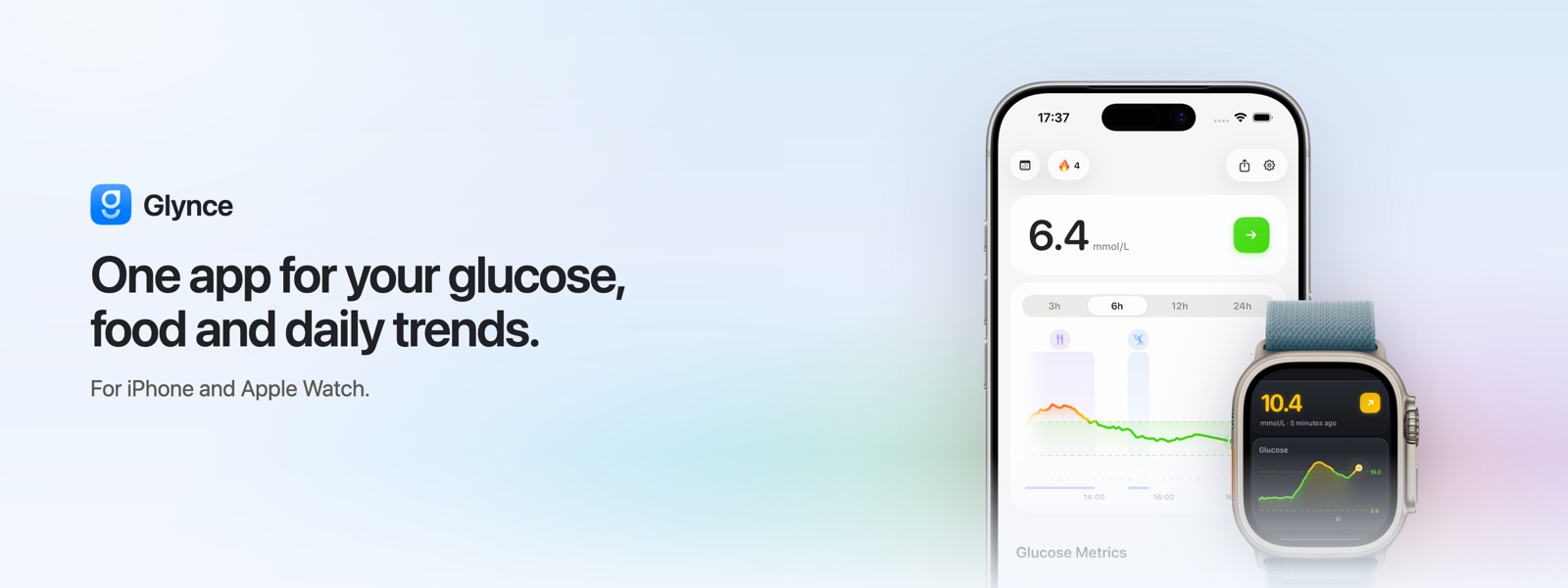
If you live with diabetes, your data is probably spread across four places at once. The glucose numbers sit in your CGM app. Meals end up in a food tracker, or in a note on your phone, or nowhere at all. Whatever you notice about your own patterns stays in your head until you forget it. Every app hands you one piece and leaves the lining up to you.
Glynce puts the pieces on the same screen. It is a diabetes and glucose app for iPhone and Apple Watch that keeps your readings, your meals and your daily patterns together, so you can see what your glucose did after lunch without opening a second app to find out.
In short
Glynce is free to download, for iPhone and Apple Watch. It syncs with your CGM (Dexcom, FreeStyle Libre, Medtrum and Eversense), tracks food and nutrition, shows your time in range and trends at a glance, and puts your latest reading on your wrist, Home Screen and Lock Screen. Your glucose and food history stay on your device.
In this article
- See your glucose and time in range clearly
- Log a meal, see the impact
- Spot the patterns that repeat
- Your number, everywhere you look
- Reports for your clinic visit
- Works with your CGM, or without one
- Your data stays yours
- Free to start, more with Plus
- How to get started
See your glucose and time in range clearly
Open Glynce and your latest reading is the first thing on screen, with a trend arrow and the curve it came from. When data goes stale, the reading shows as unavailable rather than sitting there quietly out of date, which matters more than it sounds like it should.
Underneath, your time in range is laid out plainly: how much of the day you spent low, in range and high, plus your average and GMI. You set the target range yourself, in mg/dL or mmol/L, and everything reads against it.
- Live reading with a trend arrow, and a gap when the data really is missing
- Time in range, average and GMI on the first screen
- Ranges you set, in the unit you think in
A single reading tells you where you are this minute. Time in range tells you how the whole day went, which is usually the number worth acting on.
Log a meal, see the impact
Meals are the part most glucose apps leave out, so logging one had to be fast. Search for a food, scan a barcode, or save the meals you eat every week and add them again in a tap. Each entry comes with real carbs, protein and fat per serving.
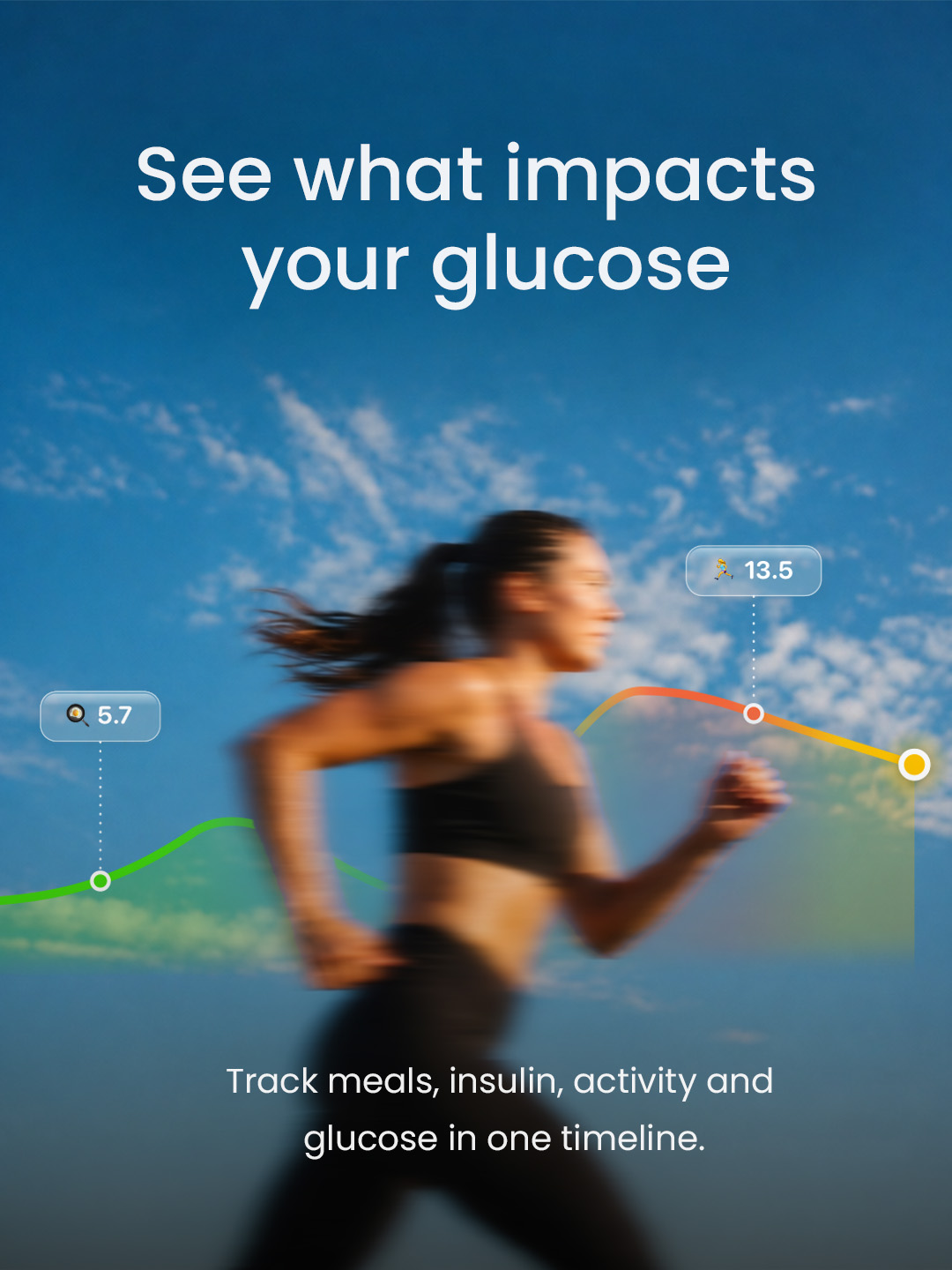
Once it is logged, Glynce lays the meal over your glucose curve, so the response sits right next to the food that caused it. You can see how that lunch landed instead of guessing at it three hours later.
- Carbs, protein and fat per serving, from a real food database
- Meals drawn directly onto your glucose curve
- Favourites you can repeat in a tap
Spot the patterns that repeat
One reading on its own rarely means much. The same thing happening on twelve Tuesdays does. Glynce looks for the trends that come back, across the day, the week and the last 90 days: the mornings that always drift upward, the dinner that spikes every time you order it.
You can overlay food, activity and time of day to see what lines up with what. Takeaways are written in plain language, so you can change one thing and watch whether it holds.
- Daily, weekly and 90 day overviews
- Overlays for food, activity and time of day
- Plain language takeaways
Your number, everywhere you look
Your glucose should not be buried three taps deep. Glynce puts it on your Apple Watch as an app and as complications, and on your iPhone as Home Screen and Lock Screen widgets. A Live Activity keeps the current reading in view when you want to watch it closely.
- Home Screen and Lock Screen glucose widgets
- Apple Watch app and complications
- Live Activity for your current reading
Most of the time you check your wrist and carry on without opening the app at all.
Reports for your clinic visit
Before an appointment, Glynce builds a PDF summary of your glucose, time in range, nutrition and activity: an overview, the daily detail, and a breakdown of where your readings fell. It exports in one tap.
Your care team can read it on paper, instead of everyone squinting at your phone across the desk.
Works with your CGM, or without one
Glynce connects with the CGMs and devices you already use: Dexcom, FreeStyle Libre, Medtrum and Eversense. It also reads glucose, activity and more from Apple Health, so the rest of your health data comes along.
Not on a CGM? You do not need one to start. You can add readings by hand and still get your ranges, trends and reports. If you move to a CGM later, your readings sync automatically from that point on.
Your data stays yours
Your glucose and meal history live on your iPhone, not on our servers. If you lose the phone, that history comes back from Apple Health rather than from us.
We do not sell or share your health data, and there is no ad tracking on your readings. Glynce is built by a European company under GDPR, and the app asks for as little data as it can get away with. The details are in our privacy policy.
Free to start, more with Plus
Glynce is free to download and covers the essentials: your live reading, time in range, food logging and the daily view. Glynce Plus unlocks the rest, including the advanced insights, the extra widgets, the Apple Watch app and the shareable PDF reports.
It is built for adults living with diabetes, with sensible starting ranges for type 1, type 2 and gestational diabetes. You set your own targets and choose mg/dL or mmol/L.
How to get started
- Download Glynce free from the App Store.
- Pick your diabetes type, so your default ranges start somewhere reasonable, then adjust them to your own targets.
- Connect your CGM (Dexcom, FreeStyle Libre, Medtrum or Eversense) or Apple Health. You can also skip this and log readings by hand.
- Log a meal or two. The app gets useful quickly once there is a meal sitting next to its glucose response.
- Add the widget and the Watch complication, so your number is always a glance away.
From there Glynce does the lining up for you, and the patterns start showing up on their own.
Frequently asked questions
What is the best all-in-one app for diabetes?
The right app is the one that keeps your glucose, food and patterns in a single place instead of spread across several. Glynce was built for that: live CGM readings, food logging, time in range, trends and shareable reports in one iPhone and Apple Watch app.
Does Glynce work with Dexcom and FreeStyle Libre?
Yes. Glynce connects with Dexcom, FreeStyle Libre, Medtrum and Eversense, and it reads glucose and activity from Apple Health. Your readings sync automatically once you connect a source.
Do I need a CGM to use Glynce?
No. If you use a CGM, Glynce keeps your readings in sync for you. If you do not, you can log glucose by hand and still get your ranges, trends and reports.
Does Glynce work on Apple Watch?
Yes. Glynce includes an Apple Watch app and complications, plus Home Screen and Lock Screen widgets and a Live Activity, so your latest reading is always a glance away.
Is my health data private?
Yes. Your glucose and food history stay on your device, not on our servers. Glynce never sells your data and is built under European (GDPR) privacy standards.
Is Glynce free?
Glynce is free to download and covers the essentials. Glynce Plus unlocks the rest, including advanced insights, extra widgets and shareable reports.
Download Glynce
Managing diabetes is enough work without fighting your tools over it. Glynce will not do the managing for you. What it will do is make your own data readable, so the effort you already put in shows up somewhere you can see it.