Apple Watch
Your glucose, on your wrist
Check your glucose, trend, and Time in Range right from your wrist. Part of Glynce Plus.
Download
Apple Watch
Check your glucose, trend, and Time in Range right from your wrist. Part of Glynce Plus.
Download
Checking your glucose on your phone means finding it, waking it, and looking at it. On your wrist it is a turn of the arm, which is the difference between checking when you wonder and checking when you finally get round to it.
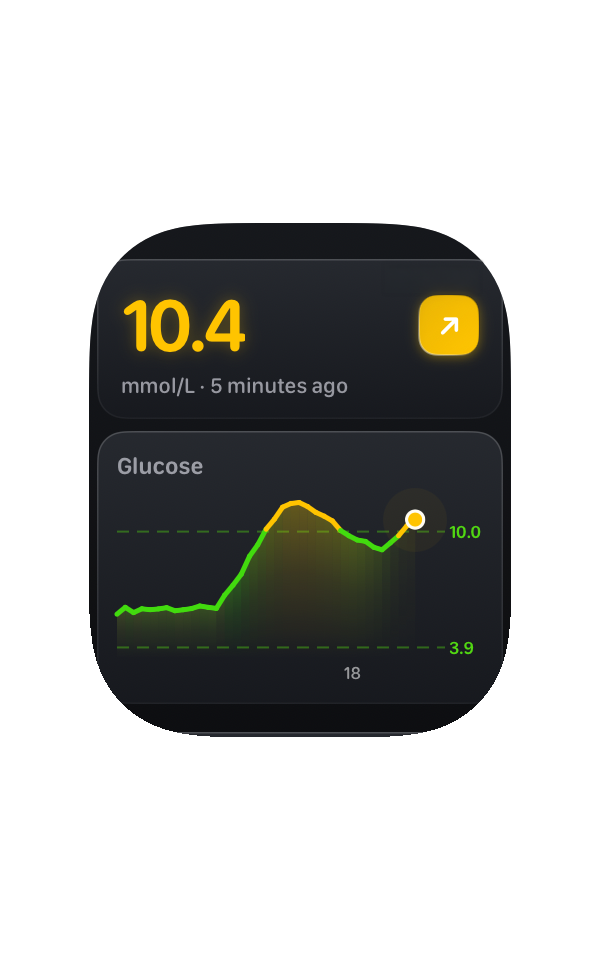
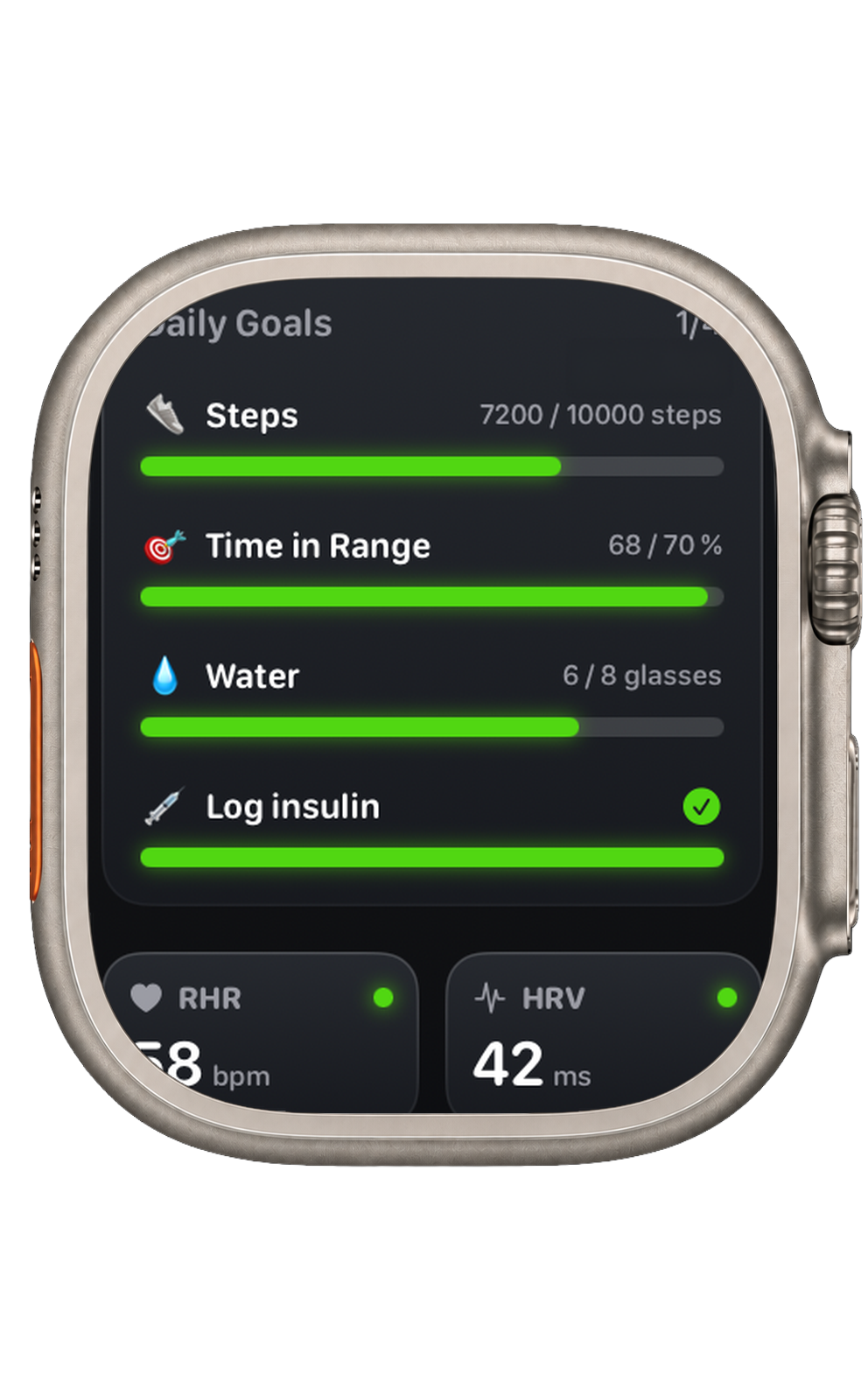
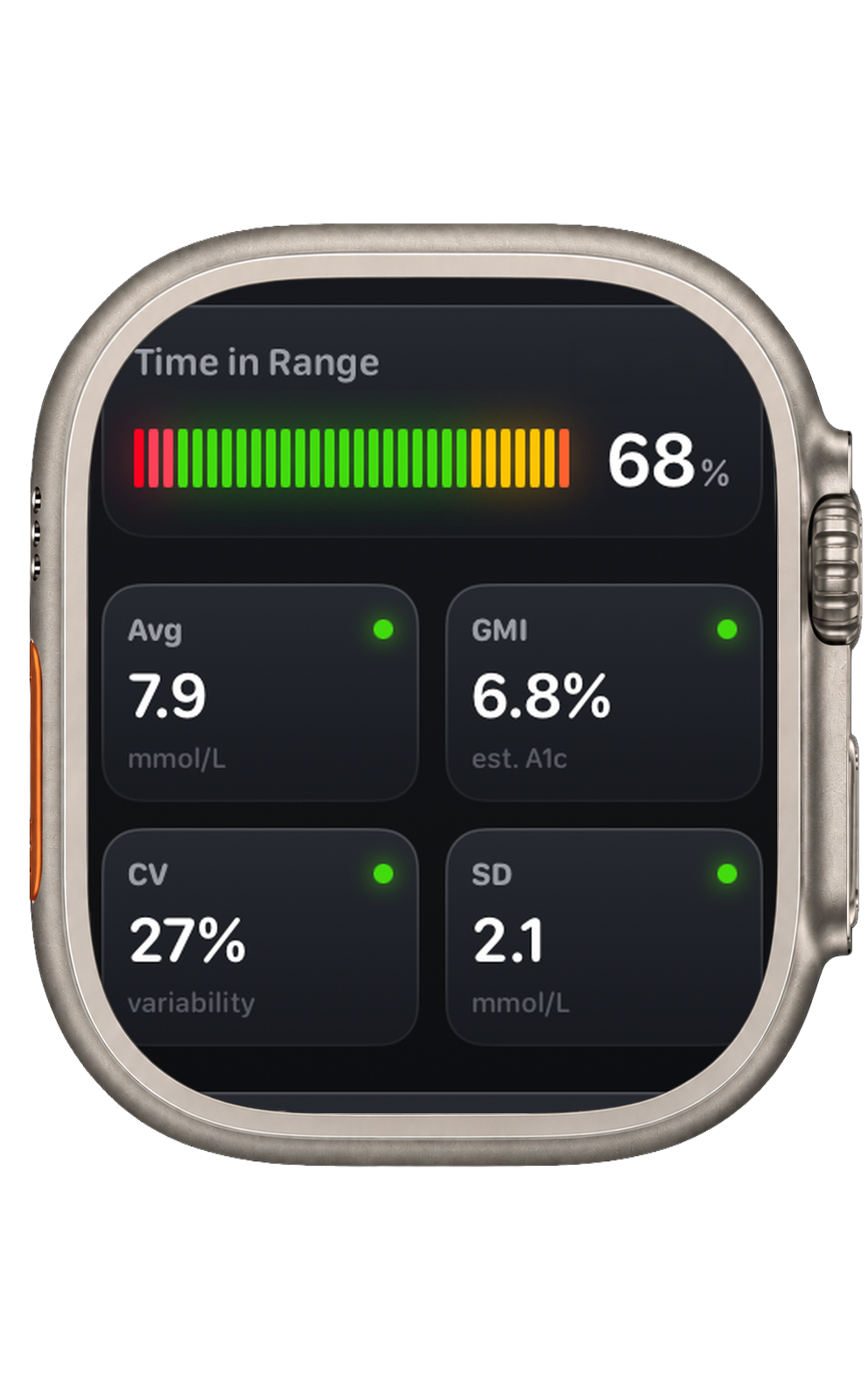
It is the dashboard rather than a number. Your current reading and trend, your glucose chart with your target range marked on it, your Time in Range for the day, then your average, estimated A1c, variability, and coefficient of variation. Your goals and what is left of your macros sit underneath, with your resting heart rate and HRV at the bottom.
The best version of this is the one you never open.
Seven of them: your reading and trend, Time in Range, a one, three, or six hour chart, and colour-coded versions of the same. They fit the circular, corner, rectangular, and inline slots, so there is one for the face you already use.
Your Live Activity renders in the Smart Stack too, so a flick of the wrist gets you the number and a sparkline without leaving the face you were on.
Your iPhone is the one talking to your CGM. Each reading is passed across to the watch from there, so if you leave your phone behind, new readings stop arriving.
A complication that quietly keeps showing a number from an hour ago is worse than one showing nothing. Once the reading is stale, Glynce shows a dash rather than a value you might act on.
It is a small design decision that only ever matters at the exact moment it matters. You should be able to trust a glance without checking how old the glance was.
Yes, for new readings. Your iPhone is what talks to your CGM, and it passes each reading across to the watch. Out of range or with the phone left at home, the watch still shows what it last received, and stops showing a value once that becomes stale rather than presenting an old number as current.
No. The watch app and its complications are part of Glynce Plus. Your glucose, your chart for today, and your dashboard on iPhone are free and stay free.
Seven. Your glucose and trend, your Time in Range, a chart over the last one, three, or six hours, and colour-coded versions. Glucose and Time in Range fit the circular, corner, rectangular, and inline slots. The charts need the rectangular slot, since a sparkline needs the width.
No. The watch app is for reading, not logging. You can tap or pull to ask your phone for a fresh reading, and that is the extent of it. Logging happens on the phone, where you can actually see what you are entering.
Yes, through Family Sharing, which covers the watch app along with everything else in Plus.
Free on iPhone
Download